

Designing app-controlled heated insoles requires balancing thermal distribution, controller precision, battery integration, and ergonomic constraints within a compact wearable structure. Unlike larger apparel like jackets or gloves, insoles operate in a high-pressure, confined space subject to constant foot movement, moisture, and body weight. These factors make temperature precision and ergonomic integration far more critical than maximum heat output.
Many assume heated insoles succeed primarily through powerful heating elements. In practice, uneven heat distribution or poor control can cause discomfort, hotspots, or reduced battery life far more than raw power ever compensates for. App control adds valuable precision but also increases design complexity—firmware must respond reliably to motion while maintaining safety in a low-profile form factor.
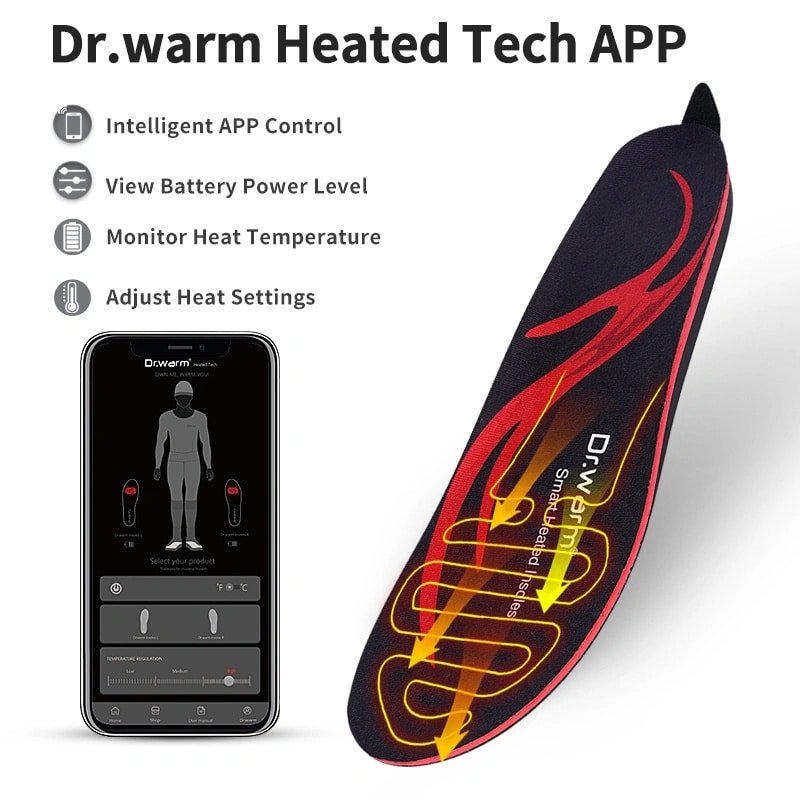
Architecture of App-Controlled Heated Insoles
The core challenge in heated insole architecture lies in fitting all functional components into an ultra-thin, flexible structure without compromising foot comfort or shoe fit.
Heated insoles must integrate heating elements, a miniaturized controller, battery, and Bluetooth communication module while enduring repeated flexing and pressure. This differs significantly from apparel where components can be distributed across larger surfaces. Here, every millimeter counts toward maintaining natural foot mechanics.
app-controlled heating technology for heated insoles demands careful routing to avoid signal interference from foot movement or body shielding.
| Component | Integration Consideration |
| Heating element | Flexible and thin profile |
| Controller | Compact PCB layout |
| Battery | Balanced weight distribution |
| Bluetooth module | Stable signal despite foot movement |
Heating elements are typically carbon fiber or thin-film types embedded in flexible layers. The controller uses a small PCB (often under 30×20 mm) positioned near the arch or heel to minimize bulk. Batteries are placed in the heel area for weight balance and easier replacement access, while the Bluetooth antenna routes along the insole edge to reduce dropouts from body obstruction.
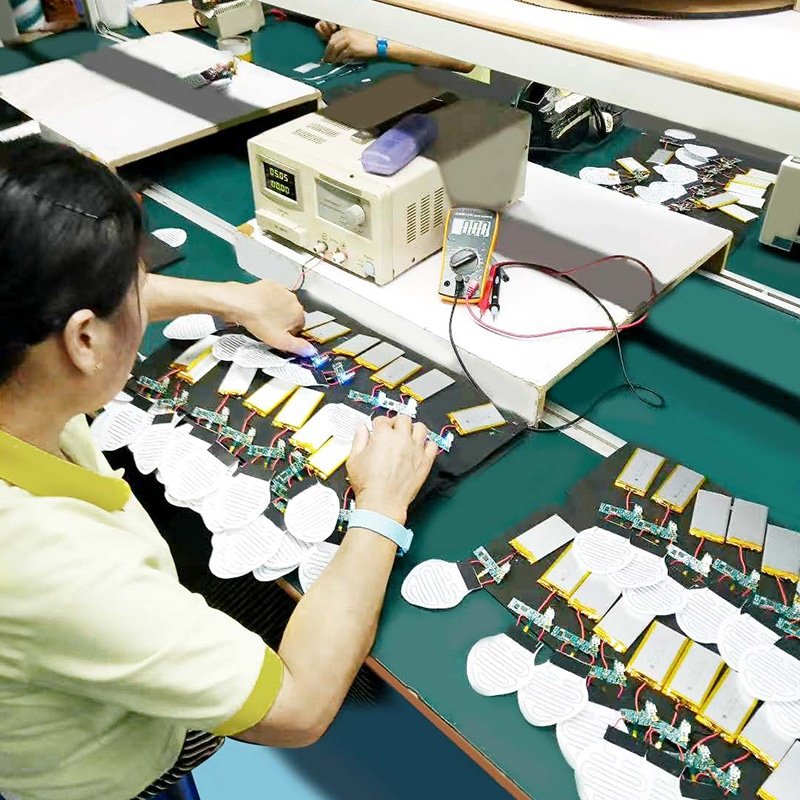
Thermal Mapping and Heat Distribution in Insoles
Thermal mapping in heated insoles must prioritize even heat across pressure points rather than uniform coverage, as foot anatomy creates natural variations in heat perception and transfer.
The forefoot (toe and ball area) loses heat faster due to thinner tissue and higher exposure, while the heel experiences more pressure but better insulation from surrounding tissue. Multi-zone heating helps, but hotspots must be avoided to prevent burns or discomfort during prolonged wear. Foot pressure compresses materials, altering heat transfer rates—dense areas conduct heat differently than arched zones.
| Thermal Zone | Design Objective |
| Toe area | Maintain warmth in cold exposure |
| Midfoot | Comfort stabilization |
| Heel | Balanced support and warmth |
Effective designs use zoned heating films with higher output in the toe region and lower in the midfoot to achieve perceived uniformity. Pressure from standing or walking can create temporary hotspots if elements are not calibrated for compression—engineers test under dynamic load to ensure consistent feel.

Control Logic and Firmware Adaptation
Control logic in app-controlled heated insoles must adapt to real-time motion and foot temperature changes while enforcing strict safety limits.
Basic on/off control fails here—firmware needs scaling to match perceived warmth, overheat cutoffs, and motion-based adjustments. Temperature sensors embedded near heating zones provide feedback, allowing PID-like algorithms to stabilize output. Automatic mode can reduce power during inactivity or increase during high activity to conserve energy.
| Firmware Function | Benefit |
| Precision scaling | Improved comfort |
| Overheat protection | Safety |
| Load balancing | Battery efficiency |
| Signal smoothing | Stable output |
Safety thresholds typically cap at 45–50°C surface temperature, with rapid shutdown if anomalies occur. Motion detection (via accelerometer if integrated) helps prevent unnecessary power drain when feet are stationary.
Battery Integration and Power Efficiency
Battery placement and capacity decisions in heated insoles directly trade off between runtime, weight, and comfort—every gram affects how naturally the foot moves.
Most designs use 3.7V lithium-polymer cells (often 2000–5000mAh per insole pair) placed in the heel to distribute weight evenly. Higher voltage improves heating strength but increases safety risks; current regulation prevents spikes that could cause uneven heating.
| Power Parameter | Design Impact |
| Voltage | Heating strength |
| Capacity | Runtime |
| Weight | Comfort |
| Current regulation | Safety |
Runtime optimization relies on efficient PWM control and low-power Bluetooth. Engineers balance capacity against added thickness—thicker insoles feel bulky in tight shoes. Real-world testing often shows 4–9 hours at medium settings, depending on ambient temperature and activity.
User Experience Considerations
User experience in app-controlled heated insoles hinges on seamless app interaction and reliable real-world performance rather than flashy features.
The app must offer intuitive temperature adjustment (often 3–5 levels), independent left/right control, battery status, and pairing stability. Feedback like real-time temperature readouts or vibration alerts for low battery enhances trust. Pairing should be quick and robust despite foot movement—poor Bluetooth reliability frustrates users quickly.
Comfort during long wear depends on thin profile, no pressure points from components, and consistent warmth without sudden changes. Engineers prioritize low-latency response so adjustments feel immediate.
Testing and Validation for Heated Insoles
Thorough testing ensures heated insoles maintain performance under repeated mechanical and thermal stress.
Pressure endurance tests simulate thousands of steps to check for element degradation. Flex testing evaluates wiring and heating film integrity after bending cycles. Thermal consistency validation uses thermocouples across zones under load to confirm even distribution. Signal reliability testing involves walking/running while monitoring Bluetooth dropouts.
Production stability comes from aging tests—running units at max settings for extended periods to catch early failures.
Common Design Mistakes in App-Controlled Heated Insoles
- Uneven heating layout that ignores foot pressure zones, leading to cold toes or hot heels
- Oversized battery placement causing imbalance or discomfort in the arch
- Weak Bluetooth signal due to poor antenna routing, resulting in frequent disconnections
- Insufficient firmware calibration, causing temperature overshoot or sluggish response
These issues often stem from adapting apparel designs without accounting for insole-specific constraints.
Conclusion — Precision and Ergonomics Define Success
App-controlled heated insoles succeed when thermal distribution, control logic, battery integration, and ergonomic structure are engineered together rather than treated as separate design elements. Precision in temperature management and thoughtful component placement ensure reliable comfort in demanding conditions. This integrated approach delivers the stable, user-focused performance that defines effective foot-warming wearables.