
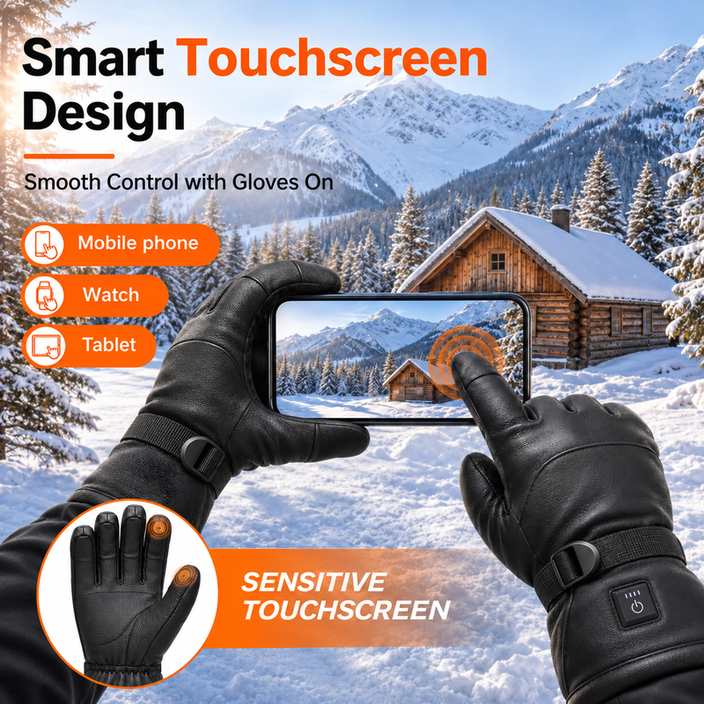
Touchscreen heated gloves do work on a motorcycle — but not for the reason most listings suggest. A glove can heat perfectly and still refuse to register a tap, because the heating system and the touchscreen layer are two separate constructions fighting over the same fingertip. On a bike the question gets sharper: you are not tapping a phone at a desk, you are finding a route on a mounted phone with a helmet on, a wet screen, and a throttle hand that cannot afford to slip.
This page answers the reliability question directly: why touchscreen fingertips fail, which failures are wear and which are technique, what winter riding actually asks of a fingertip, and how to test a pair in thirty seconds before you buy or before you trust it on a cold morning.
Why a touchscreen fingertip and a heating element compete for the same millimetre
A capacitive screen does not respond to pressure. It responds to a change in capacitance — the screen needs a conductive path to your body, which is why a bare finger works and a pencil does not. A glove therefore needs a conductive fingertip: either conductive yarn knitted into the tip, a conductive coating applied to it, or a small conductive pad bonded to the inside of the tip.
All three of those live in the thinnest part of the glove. The same spot is where a heated glove wants insulation, because the fingertip is the surface that loses heat fastest and the one buyers judge the product by. Thicken the tip for warmth and the conductive layer sits further from the screen, with more material in between to swallow the coupling. Thin the tip for touch accuracy and the fingertip gets cold first. That trade-off is the whole reliability story, and it is why a heated glove with excellent heat output can have a mediocre touchscreen, and vice versa.
The four ways a touchscreen glove stops responding
In practice, riders report four distinct failures, and only one of them is the glove being badly made. Sorting the symptom first saves a return: two of the four are fixed by technique or drying, and one is normal wear that appears months in.
| Symptom | Physical cause | Check it in the field | What to do |
|---|---|---|---|
| Fingertip never registers, even on dry skin | Conductive yarn broken or coating worn through at the tip | Try the same tap with index, middle and thumb — if only one finger fails, it is that fingertip | Use a working finger for the season; replace the pair when two or more tips go |
| Works dry, fails when hands sweat or the screen is wet | A water film between tip and screen breaks the capacitive coupling | Wipe the screen and the tip; response returns immediately | Dry the screen at stops; rotate a spare liner so sweat does not sit in the tip |
| Taps work, swipes and small buttons miss | Contact area too small — a thick or rounded fingertip spreads the coupling over less screen | Test a swipe across a map and a small return arrow separately | Choose a closer-fitting fingertip pattern; use voice for navigation when possible |
| Intermittent — fine one minute, dead the next | Fingertip layer shifted or damp inside, often after weeks of flexing | Feel for a bulge or a stiff patch at the tip; compare against the other hand | Stop using that fingertip and check the warranty — this is a construction fault, not technique |
What winter riding actually asks of a fingertip
Riding raises the bar in a way that commuting does not, because five different actions happen with the same hand and none of them happen at a desk. Mapping the actions to requirements is more useful than a blanket claim of “touchscreen compatible”, which only promises that some tap, somewhere, registers.
| Riding action | What the fingertip must do | How to check it in the shop |
|---|---|---|
| Following a route on a mounted phone | Swipe and pinch on a wet, cold screen | Open a map, drag it, zoom once, hit the back arrow |
| Answering a call inside a helmet | Single blind tap on the correct half of the screen | Without looking, tap answer then end on a locked phone |
| Visor, chin strap and helmet clasp | Fine mechanical feel, not screen response | Pinch a small clasp; if you cannot feel it, the tip is too thick for the whole job |
| Fuel pump or card terminal | Small numeric keys, often in the cold and rain | Type a ten-digit number on a phone keypad with the glove on |
| Throttle and brake control | Dry palm grip; sweat makes a heated glove slip | Hold a bar for two minutes at the lowest heat setting and feel the palm |

Test a pair in thirty seconds, then test it again in three months
Put the gloves on before you touch the phone — a glove tested with one hand free is not being tested. Then work through five steps in order, because each one isolates a different failure:
- Open a map and drag it across the screen. This measures contact area, not conductivity.
- Tap a small icon in a corner. This is where a thick fingertip fails while swipes still work.
- Type a short number on the keypad. Small keys expose the same problem, one press at a time.
- Wipe the screen with a damp cloth and repeat step one. If it now fails, the limitation is water, not the glove.
- Repeat with the thumb, which has the largest contact patch and usually the most reliable response.
A new pair should pass steps one to three without effort. The honest caveat is time: conductive coatings thin out, and yarns break where the tip creases thousands of times a season. Most touchscreen failures on heated gloves are not manufacturing defects — they are wear at a high-flex point, which is why the check that matters is the one you repeat in three months, not the one in the shop.
Water, cold and the failures that get blamed on the touchscreen
On a winter bike, three problems present as “the gloves stopped working” and only one involves the screen. Water enters through the cuff and finger seams rather than the surface, which is why a glove rated IPX4 as standard — with IPX5 available as an option on most of our lines — still needs its cuff tucked under the jacket sleeve. Cold reduces battery output, so a low setting feels weaker in January than it did in October, and that gets read as a heating fault. And sweat inside the tip kills capacitance before any electronics notice anything, which is why riders who rotate two pairs report fewer touchscreen problems than riders who own one better pair.

For brands sourcing touchscreen heated gloves
When touchscreen capability is part of an OEM or ODM brief, treat it as its own material line rather than a free feature. It adds a conductive yarn, coating or pad to the bill of materials, it needs its own test in the specification sheet (tap, swipe and small-key performance after a set number of flex cycles), and it should be qualified separately from the heating test — a glove can pass heating uniformity and still fail touchscreen after two hundred flexes at the index tip.
Our minimums for this kind of build are OEM orders from 100 units and ODM projects from 500 units per style, with the touchscreen layer specified per model rather than promised across the range. Voltage tiers run 3.7V, 5V, 7.4V and 12V, with 24V reserved for custom builds, and heat settings vary by controller — so the tip construction, the heating path and the control type have to be reviewed together before sampling. Buyers who want the wider picture can start with our buyer checks for rechargeable heated gloves, and riders comparing a heated pair against an ordinary winter pair will find the thickness trade-off explained in heated gloves versus regular winter gloves.
The short answer
Touchscreen heated gloves are reliable when the fingertip is treated as a wear part and tested like one. Buy for a close-fitting tip, check swipes and small keys rather than a single tap, keep the screen and the tip dry, and expect the index fingertip to soften before the heating element does. On a bike, the gloves that work are the ones whose fingertips you have already tested with a helmet on and a cold screen in front of you.
Frequently Asked Questions
Do touchscreen heated gloves work in freezing temperatures?
Yes. A capacitive screen responds to the conductive fingertip, not to warmth, so cold itself does not stop a tap from registering. What changes in freezing weather is moisture: sweat inside the tip and a water film on the screen both break the connection, and battery output drops with temperature, which makes the glove feel weaker without affecting the screen.
Why does my touchscreen glove only work with some fingers?
Because the conductive layer wears per fingertip. The index tip creases the most and is usually the first to lose response, then the thumb. If one finger fails and another works on the same glove, the glove is not defective as a whole — that single tip has reached the end of its flex life.
Can I use heated gloves on a fuel pump or card terminal?
Small numeric keys are the hardest touchscreen test, harder than a swipe, because they need contact area as well as conductivity. Type a ten-digit number on a phone keypad with the glove on before you rely on it at a pump. If presses miss, use a knuckle or a working fingertip.
Are heated glove liners touchscreen compatible on their own?
Many liners carry conductive fingertips and work directly on a screen. Worn under a shell glove, touch only transfers if the outer glove’s fingertip is also conductive or thin enough to pass the coupling, so a liner that works alone can stop working once it is layered.